I'm just an ordinary college student
any amount of donation will be appreciated.

CHANGE LANGUAGE HERE

Showing posts with label ragnarok. Show all posts
I promised to post interesting stuff about RO right? Ok, here it is.

SOoooo, the Ragnarok Guardian of Eternal Love has been out for a while and I've seen plenty of installation guides, but one more guide won't hurt right ? :)
INSTALLATION

*This guide is only meant for PC and laptop*

Apple: Make an account in China region, install Taptap, download in Taptap.
Android: Install Taptap APK (google it), download in Taptap.
  1. Download BlueStack2 and install it.
  2. Download Ragnarok Guardian of Eternal Love and run it.
  3. Wait until the installation is done, your BlueStack will now be in Chinese.
  4. Follow these step to change it to your language
     1. Click the first icon.


    2.  Click Setting icon.


    3. Pick your language


    PLAY


    So, after you installed there will be a Ragnarok icon on your desktop, that is where you will launch Ragnarok Guardian of Eternal Heart from now on.

    REGISTER

    1. After the updates you will see this screen.

    Click TOUCH START GAME, from now on all the picture will be translate for the English player :)

    2. Register an account by click on this water symbol

    3. Click sign-up

    4. Fill out the information needed

    5. Go back to step 1 and 2. Log in with your newly made account and enjoy !

    EXTRA

    1. So, the game is in Chinese so for non-chinese you guys need to download "Google Translate" ONLY IF YOU HAVE AN APPLE OR ANDROID PHONE. if you're stuck in a quest, or having trouble understand item's description. Just turn on Google Translate camera and point it at screen for broken English text like these pictures up here ^

    2. Take advantage of the built-in feature. Keyboard.
    Example of BlueStack hotkey set up.

    Click on the little keyboard icon down there, and set up your own hotkeys. Personally, the AWSD control isn't very responsive, so I prefer moving by pressing my mouse down to move more smoothly, and spam skill with hotkeys.

    Leave a thank if this helped you
    Hello, I should have posted this on Christmas, but it was delayed because of the holiday events ^_^

    This was requested by a friend, to make an auto potion similar to the one on garenathai because it no longer works for him. I tested it myself, and it works fine. But i won't pass on a good opportunity to code, so here it is !

    - All credits go to the main author --- Merry Christmas !

    Hello, there was some problems with the .exe file, and the link has been fixed, thank you !
    Download:
    How to use:
    1. Focus on your RO client, then press Ctrl + F1 to select the client.
    2. Help the script locate your HP bar by Left Cick on the HP bar
    3. Do the same for the SP bar by Right Click

    It should looks like this after you're done. Ctrl + F5 to start / stop

    the rest should be easy.


    ----- Note -----
    Keep your 'Character Info (Alt + V)' window OPEN AT ALL TIME, and the HP/SP bars must be VISIBLE AT ALL TIME for this to work. DO NOT block the Basic Info window with F12 or any other windows.

    Same with ALL of my scripts, it will NOT work if your server blocked Autohotkey scripts
    (Gepard, etc..)
    ----- Extra -----
    I noticed that server with RagnaShield block the command ControlSend, so I made 2 send modes in ROAP.ini
    1. normal = Send Command - Press a key
    2. control = ControlSend Command - Send a key to a client window.
    The default is 'normal', and you may change it to whatever works for you. :)

    - Recca


    HELLO EVERYONE, I'm sorry for going M.I.A on you guys, but here I am again, to release this new AHK script that I have been working on, I hope you're as excited as me.

    Please view this article as an upgrade of this :


    I TRIED TO MADE THIS AS SIMPLE AS POSSIBLE, SO EVEN A 2 YEARS OLD CAN CONFIGURE THIS MACRO.

    Please be aware that this WILL NOT work if your server is protected by game guards.

    Features :
    • ( NEW ) Self-Cast 
    • ( NEW ) 2-Hotkey Bar
    • Single Macro w/ custom delay
    • Chain Macro w/ custom delay
    DOWNLOAD :

    Picture & Description :

    First look for M.A.C.R.O

    This is a collection of macros, with customization.

    How to use ?

    1. Drag icons from the stacks to assign macro to a button.
    2. Click " SAVE CHANGES "
    3. Click "Run 'M.A.C.R.O.exe'"

    --------------------------------------------------
    Note
    --------------------------------------------------
    1. Skill Macro
    Function : Press button -> Click -> Delay -> Repeat

    2. Usable Macro
        Function : Press button -> Delay -> Repeat

    3. Chain Macro
       Function : Button #1 -> Delay -> Button #2 -> Delay -> Button #3 -> Delay -> ...

    4. Self-Cast
     Function : Cast at self / center of screen

    5. 2-Hotkey Bar
     Function : Double click at 2-Hotkey bar

    Thank you for reading. SHARE & COMMENT if this worked for you. I will answer all questions.
    - Recca
    Ragindex v.0.3.1
    by : Recca

    Hi RO players ! I been working on this for months and the aim is to

    make a simple RO Database Search Engine that provide simple mob & item informations

    I hope this can make your RO life better, and you no longer need to strain your eyes

    looking at the chatlog when using @mi , @ii , @whereis

    "Hey ****, what's the dumbest thing you ever done in your RO years ?"
    "I tried to download RMS for the search engine, it took the whole day and doesn't even work"
    "I feel you ;~; say no more.."
    ----------------------------------------------------
    + What's News in v0.3.1:
    • Ragindex's colors can now be change via .ini file ( Personalize your Ragindex )
    • Ragindex Stylish - GUI to help with easy editing Ragindex color
    • Included new themes/colors
    • Reduce space between results
    + Features:
    • Works offline ( Only for Full Version )
    • Decent / constant load rate
    • Renewal / Pre-Renewal Database
    • New itemInfo.lub with new item's description format
    • Sorting item drops by percentage in 'Drop By' window from high -> low
    • On maps info (no respawn time, sorry)
    • Element Effectiveness chart
    • NPC Venders information
    • Free memory
    • Direct Ratemyserver link
    • Direct iW Database link
    • COOL in-game cursor
    + Search Modes:
    • Item - can be search by : ID , Aegis Name, Screen Name
    • Mob  - can be search by : ID , Sprite Name, kRO Name, iRO Name
    • Item's description
     -Examples of finding stat related items with "Search Item's description"
    • "STR +" , "drop chance" , "enables use of" , "MaxHP"
    • "after cast delay" , "cast time" , "`% chance of"
    • "Demihuman" , "Fire property" , "medium size"
    + ToolTips:
    • Item's description
    • Mob's image
    *Right Click = On , Left Click = Off ( or just move your mouse away )

    + Customizable:
    • GUI color
    • Add new mob
    • Add new item
    • Hide-Window hotkey
    • Element table
    • Base-EXP, Job-EXP, and drop rates
    + Credits:
    • All images belong to Gravity and their respective creators.
    • Taffy for the motivation and feedbacks.
    + DOWNLOAD:
    * The differences between the two is that the Lite use online images and the Full use internal images

    + Pictures:
    Ragindex_1.png
    Ragindex_2.png
    Ragindex_3.png
    Ragindex_4.png
    + Ragindex Stylish Pictures:
    Ragindex_Stylish.png

    + Themes created from Ragindex Stylish: * You can make your own too !
    Ragindex_Stylish1.png
    Ragindex_Stylish2.png
    Ragindex_Stylish3.png
    Ragindex_Stylish4.png
    Ragindex_Stylish5.png

    ***********************************
    This application was written in Autohotkey and compiled with UPX so your anti-virus might pick it up as a virus. Don't worry, it's a false-positive.

    - Recca
    This application was made with the intention of making Ragnarok item / mob 's database easier to access in-game. Especially for slow computers that have trouble running browser and RO client at the same time.
    - Any feedback is appreciated !! and you are more than welcome to share your Ragindex Skin
    Thanks me or tell your friends if you find this post helpful !
    OUTDATED - CHECK NEW AUTOPOT HERE
    Hi again, I'm back with another original scripts for you all.
    I had seen many other AHK scripts that tried to do this but here is my version.

    This was tested successfully on Window 8, in a server without Game Guard or third party protection so if you can't use it. Your server has blocked ahk.

    What makes this different from other script ?
    - All of my scripts are unzip and run, NO NEED to edit any RO files or extra steps

    How does this work ?
    - This script set a timer to keep check of the pixel that you pick, and when the color of the pixel change, a potion will be use
    THE HP/SP BAR NEED TO BE VISIBLE AT ALL TIME FOR SCRIPT TO WORK SO.. DON'T CLOSE THE "ALT+V"

    First look:
    How to ?

    Set HP :
    1. Click "Pick HP coordinate"
    2. Read the warning box ( this can be turn off  )
    3. Click 'Okay', or simply press 'Enter' then move your mouse to the HP bar
      on to location that you want this script to check then click.
    4. Set potion hotkey, this button will be press every time the coordinate's color change
    5. Done
    To set SP, do the same as above. Leave one blank to monitor one bar or set both to monitor both HP/SP bars.

    ***After setting Potion Hotkey and the percentage press the default Start Hotkey : Control + Q to start the program, remember to turn it off with Control + W when you die or it will spam the hotkey non stop. Or when you enter through portal, it will make the screen flash -> use few potions.

    I recommend you guys to use F1-F9 for potion hotkey, so you can also chat when being attack and using auto-pot.

    Features:
    • Save - Save your coordinates, colors, hotkey for future use
    • Load - Load your saves
    DOWNLOAD: 
    Leave a comment/thanks or share with your friends if this helped you !
    OUTDATED - Check New Thread HERE
    Wassup folks, this is a long overdue program, since Ragnarok is super old already...
    - It is 2016 already, wouldn't it be nice if Ragnarok have smart-cast option like League of Legends ?

    Making macro is now made easy, even if you don't know Autohotkey.

    Features :
    • Single Macro --- Looping SEND, CLICK (optional) until button is release.
    • Chain Macro --- Looping SEND a series of keys with optional CLICK until button is release. 
    • Custom delays
    DOWNLOAD : 
    How does it work ?
    This is a simple AUTOHOTKEY script that read the keys inside the ROSC.ini and make it a hotkey

    How To ?
    It is as easy as writing down the hotkey name.

    Note : 
    - There are 2 Send Modes for hotkey :
    Take F3 for example
    • Normal Mode--- Loop ( PRESS BUTTON -> CLICK -> WAIT )
      "F3"
    • Usable Mode--- Loop ( PRESS BUTTON -> WAIT ) - For potion use, or self-cast skill that require no click.
      "F3,u" <--- put ',u' after the hotkey to use 'Usable Mode'.
    ADD SINGLE MACRO

    -How to make a Single Macro:
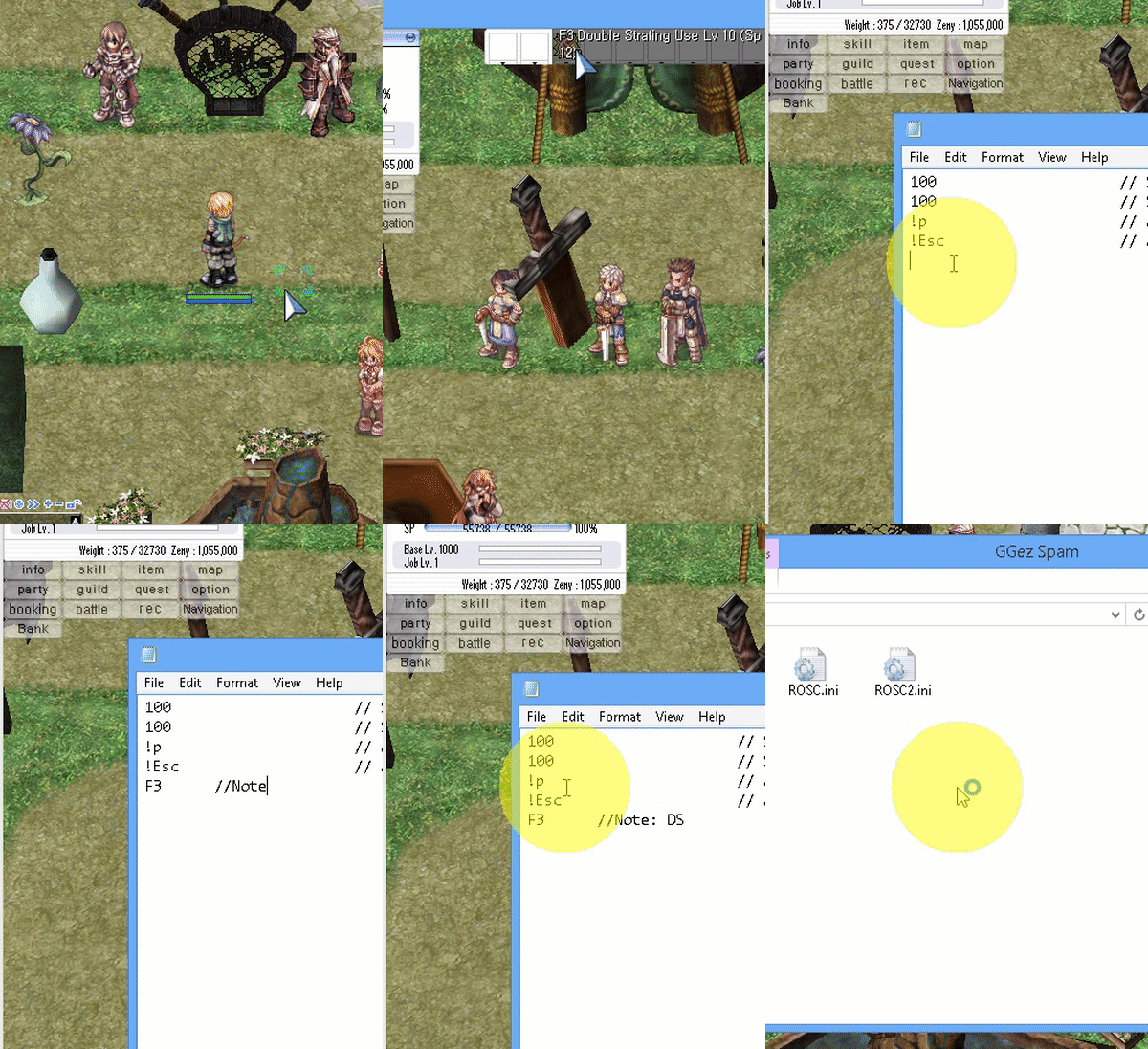
    For this example, lets make the button F3 a macro.
    1. Open 'ROSC.ini'
    2. Start a new line, type in F3
    3. Save, and run ROSC.exe
     - This will make the button F3 a macro.
    that means when F3 is pressed down, it will continuously send F3 -> Click until F3 is release.


     ----------------------------------------------------------
    ADD CHAIN MACRO

    -How to make a Chain Macro:
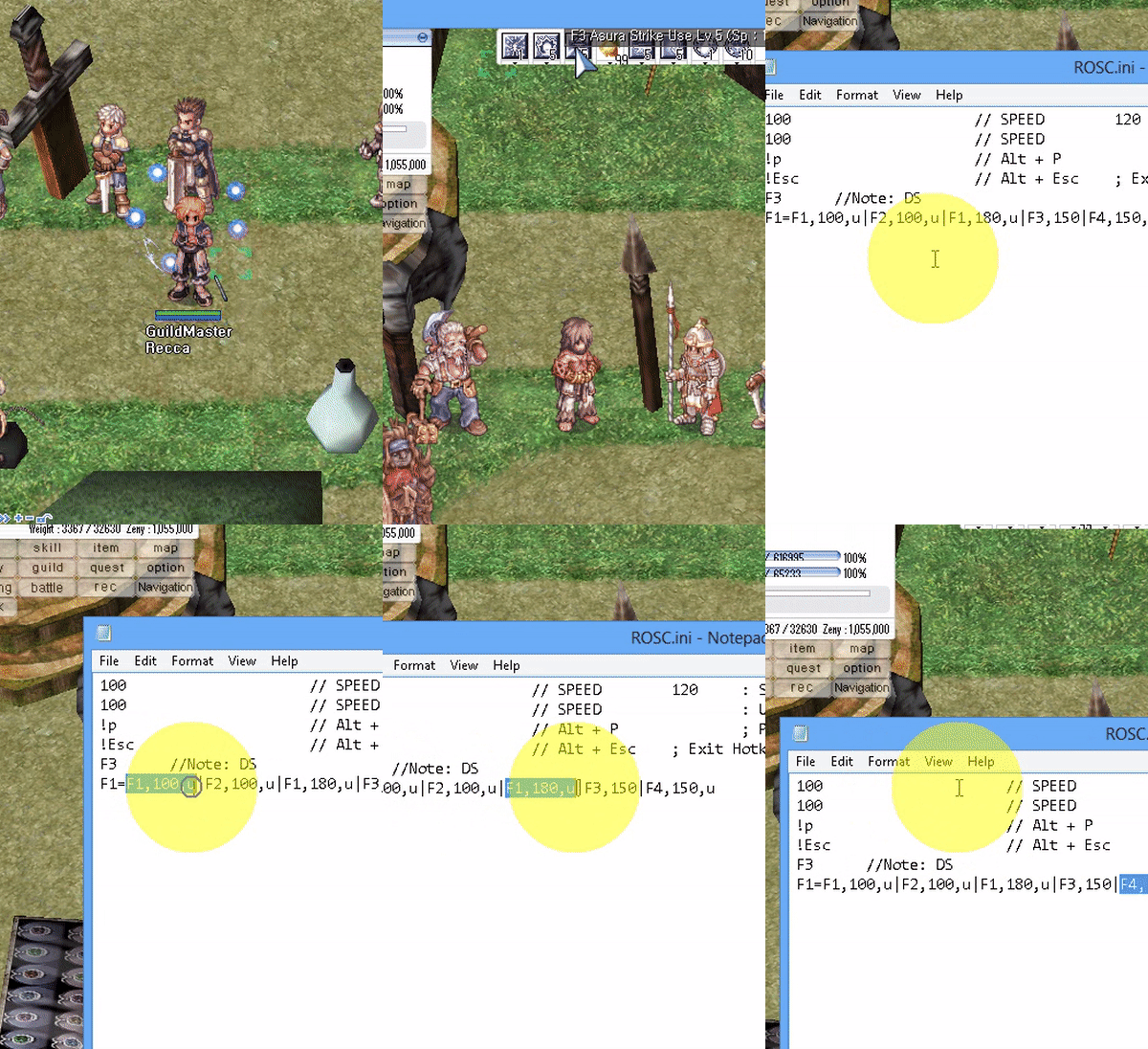
    For this example, lets make a chain combo macro that repeat
     F1 -> F2 -> F1 -> F3-Click when F1 is down.
    1. Open 'ROSC.ini'
    2. Start a new line, type F1=F1,170,u|F2,170,u|F1,170,u|F3,250
    3. Save, and run ROSC.exe
    F1=F1,170,u|F2,170,u|F1,170,u|F3,250
     means:
    • When F1 is press
    • Send F1 with "usable send mode" -> sleep 170
    • Send F2 with "usable send mode" -> sleep 170
    • Send F1 with "usable send mode" -> sleep 170
    • Send F3 with normal mode, which is SEND -> CLICK -> Sleep 250


    - The syntax is <Trigger Hotkey>=<Hotkey1>,<Sleep>|<Hotkey2>,<Sleep>|<Hotkey3>,<Sleep>|.....

    IMPORTANT ----------------
    The FIRST FOUR LINES of the 'ROSC.ini' file MUST be :

    • Macro Skill Delay ( in millisecond, 1000 millisecond = 1 second )
    • Macro Usable Delay ( for hotkey with ",u" next to it )
    • Pause Hotkey - for chatting ( to change hotkey, see Hotkey)
    • Exit Hotkey - Just in case the script get stuck
    ROSC.ini examples
    120      // SPEED : Skill Delay (in millisecond)
    100      // SPEED : Usable Delay (in millisecond)
    !p       // Alt + P ; Pause Script Hotkey
    !Esc     // Alt + Esc ; Exit Hotkey
             // "//" = comment start
             // Empty lines will be ignore
    //s      // Put '//' in front to disable a hotkey
    z        // Hotkey Z, Use Z and CLick
    a,u      // ",u" for usable, for Spamming pots without click
    //x,u    // Anything behind '//' will be ignore
             // NEED TO RESTART SCRIPT FOR CHANGE TO TAKE EFFECT


    Leave a comment/thanks or share with your friends if this helped you !