
OUTDATED - Check New Thread HERE
Wassup folks, this is a long overdue program, since Ragnarok is super old already...
- It is 2016 already, wouldn't it be nice if Ragnarok have smart-cast option like League of Legends ?
This is a simple AUTOHOTKEY script that read the keys inside the ROSC.ini and make it a hotkey
How To ?
It is as easy as writing down the hotkey name.
Note :
- There are 2 Send Modes for hotkey :
Take
-How to make a Single Macro:
For this example, lets make the button
that means when
-How to make a Chain Macro:
For this example, lets make a chain combo macro that repeat
means:
- The syntax is
IMPORTANT ----------------
The FIRST FOUR LINES of the 'ROSC.ini' file MUST be :
Leave a comment/thanks or share with your friends if this helped you !
Wassup folks, this is a long overdue program, since Ragnarok is super old already...
- It is 2016 already, wouldn't it be nice if Ragnarok have smart-cast option like League of Legends ?
Making macro is now made easy, even if you don't know Autohotkey.
Features :- Single Macro --- Looping SEND, CLICK (optional) until button is release.
- Chain Macro --- Looping SEND a series of keys with optional CLICK until button is release.
- Custom delays
- ROSC.EXE - Mediafire - Download Here
- Source - Pastebin - http://pastebin.com/rtA3ViJ9
This is a simple AUTOHOTKEY script that read the keys inside the ROSC.ini and make it a hotkey
How To ?
It is as easy as writing down the hotkey name.
Note :
- There are 2 Send Modes for hotkey :
Take
F3 for example- Normal Mode--- Loop ( PRESS BUTTON -> CLICK -> WAIT )
"F3" - Usable Mode--- Loop ( PRESS BUTTON -> WAIT ) - For potion use, or self-cast skill that require no click.
"F3,u" <--- put ',u' after the hotkey to use 'Usable Mode'.
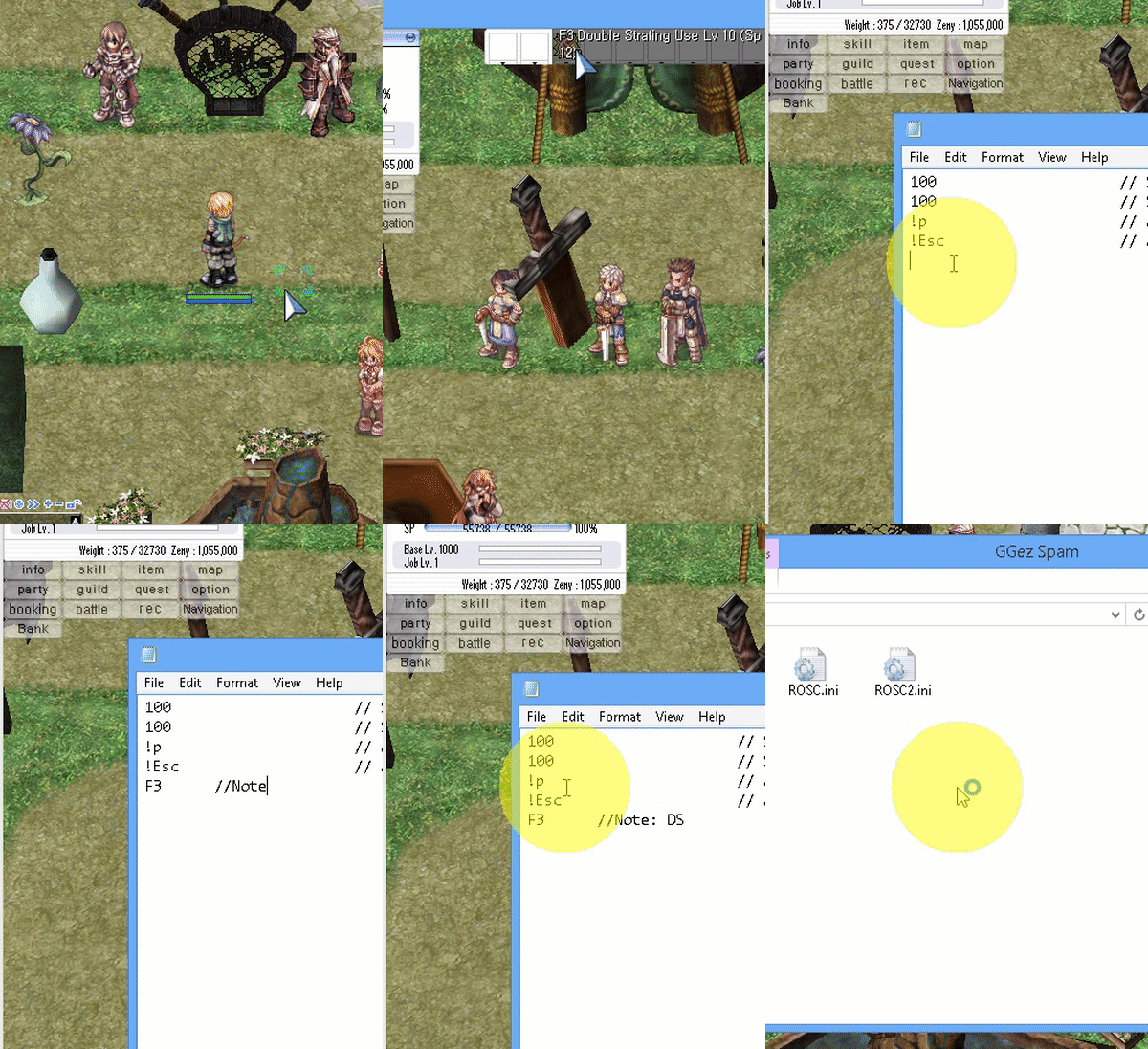 |
| ADD SINGLE MACRO |
-How to make a Single Macro:
For this example, lets make the button
F3 a macro.- Open 'ROSC.ini'
- Start a new line, type in
F3 - Save, and run ROSC.exe
F3 a macro.that means when
F3 is pressed down, it will continuously send F3 -> Click until F3 is release.
----------------------------------------------------------
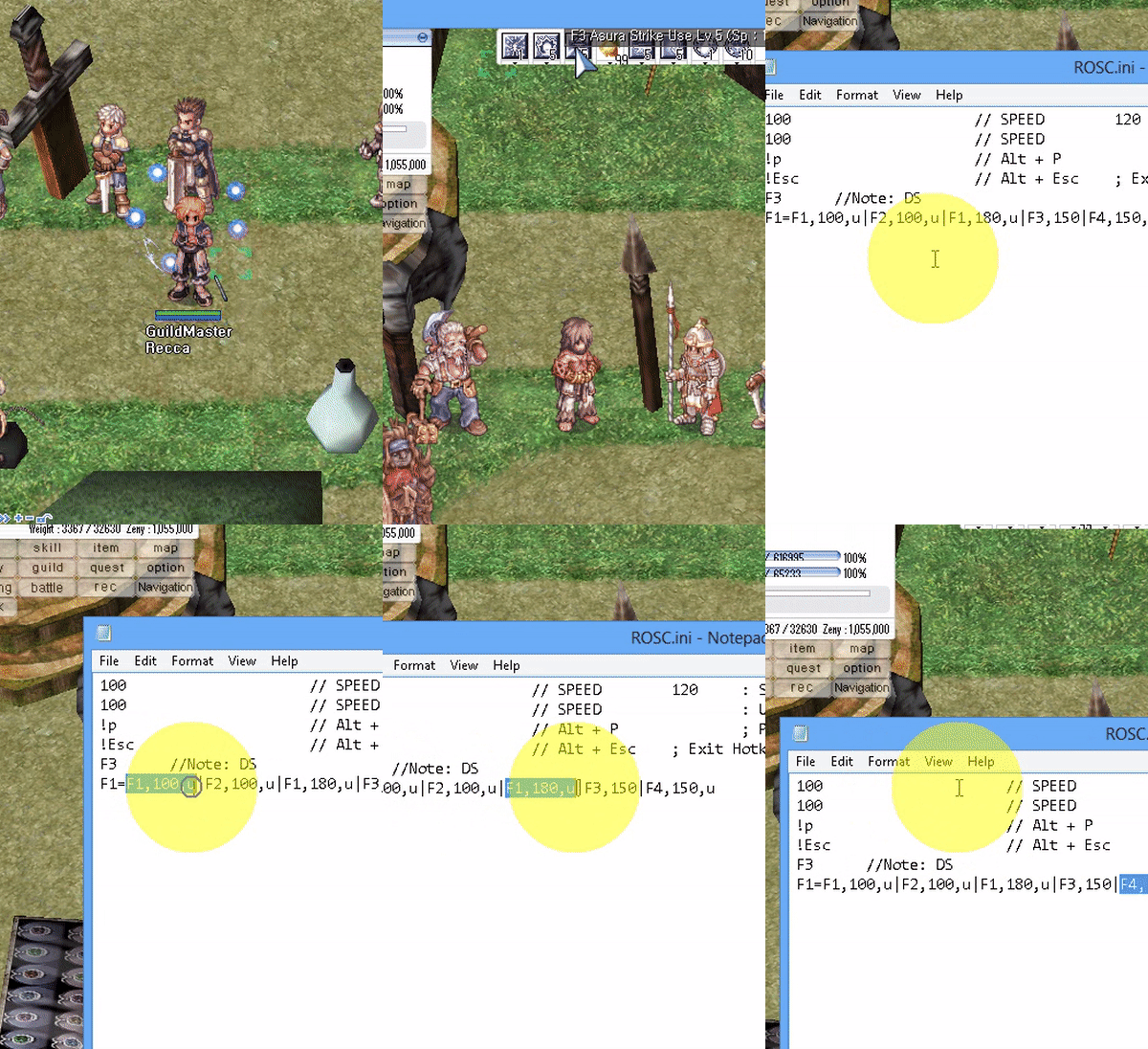 |
| ADD CHAIN MACRO |
-How to make a Chain Macro:
For this example, lets make a chain combo macro that repeat
F1 -> F2 -> F1 -> F3-Click when F1 is down.- Open 'ROSC.ini'
- Start a new line, type
F1=F1,170,u|F2,170,u|F1,170,u|F3,250 - Save, and run ROSC.exe
F1=F1,170,u|F2,170,u|F1,170,u|F3,250means:
- When F1 is press
- Send F1 with "usable send mode" -> sleep 170
- Send F2 with "usable send mode" -> sleep 170
- Send F1 with "usable send mode" -> sleep 170
- Send F3 with normal mode, which is SEND -> CLICK -> Sleep 250
- The syntax is
<Trigger Hotkey>=<Hotkey1>,<Sleep>|<Hotkey2>,<Sleep>|<Hotkey3>,<Sleep>|.....IMPORTANT ----------------
The FIRST FOUR LINES of the 'ROSC.ini' file MUST be :
- Macro Skill Delay ( in millisecond, 1000 millisecond = 1 second )
- Macro Usable Delay ( for hotkey with ",u" next to it )
- Pause Hotkey - for chatting ( to change hotkey, see Hotkey)
- Exit Hotkey - Just in case the script get stuck
120 // SPEED : Skill Delay (in millisecond)
100 // SPEED : Usable Delay (in millisecond)
!p // Alt + P ; Pause Script Hotkey
!Esc // Alt + Esc ; Exit Hotkey
// "//" = comment start
// Empty lines will be ignore
//s // Put '//' in front to disable a hotkey
z // Hotkey Z, Use Z and CLick
a,u // ",u" for usable, for Spamming pots without click
//x,u // Anything behind '//' will be ignore
// NEED TO RESTART SCRIPT FOR CHANGE TO TAKE EFFECT
100 // SPEED : Usable Delay (in millisecond)
!p // Alt + P ; Pause Script Hotkey
!Esc // Alt + Esc ; Exit Hotkey
// "//" = comment start
// Empty lines will be ignore
//s // Put '//' in front to disable a hotkey
z // Hotkey Z, Use Z and CLick
a,u // ",u" for usable, for Spamming pots without click
//x,u // Anything behind '//' will be ignore
// NEED TO RESTART SCRIPT FOR CHANGE TO TAKE EFFECT
Leave a comment/thanks or share with your friends if this helped you !

