I'm just an ordinary college student
any amount of donation will be appreciated.

CHANGE LANGUAGE HERE

Showing posts with label easy. Show all posts
HELLO EVERYONE, I'm sorry for going M.I.A on you guys, but here I am again, to release this new AHK script that I have been working on, I hope you're as excited as me.

Please view this article as an upgrade of this :


I TRIED TO MADE THIS AS SIMPLE AS POSSIBLE, SO EVEN A 2 YEARS OLD CAN CONFIGURE THIS MACRO.

Please be aware that this WILL NOT work if your server is protected by game guards.

Features :
  • ( NEW ) Self-Cast 
  • ( NEW ) 2-Hotkey Bar
  • Single Macro w/ custom delay
  • Chain Macro w/ custom delay
DOWNLOAD :

Picture & Description :

First look for M.A.C.R.O

This is a collection of macros, with customization.

How to use ?

  1. Drag icons from the stacks to assign macro to a button.
  2. Click " SAVE CHANGES "
  3. Click "Run 'M.A.C.R.O.exe'"

--------------------------------------------------
Note
--------------------------------------------------
1. Skill Macro
Function : Press button -> Click -> Delay -> Repeat

2. Usable Macro
    Function : Press button -> Delay -> Repeat

3. Chain Macro
   Function : Button #1 -> Delay -> Button #2 -> Delay -> Button #3 -> Delay -> ...

4. Self-Cast
 Function : Cast at self / center of screen

5. 2-Hotkey Bar
 Function : Double click at 2-Hotkey bar

Thank you for reading. SHARE & COMMENT if this worked for you. I will answer all questions.
- Recca
OUTDATED - Check New Thread HERE
Wassup folks, this is a long overdue program, since Ragnarok is super old already...
- It is 2016 already, wouldn't it be nice if Ragnarok have smart-cast option like League of Legends ?

Making macro is now made easy, even if you don't know Autohotkey.

Features :
  • Single Macro --- Looping SEND, CLICK (optional) until button is release.
  • Chain Macro --- Looping SEND a series of keys with optional CLICK until button is release. 
  • Custom delays
DOWNLOAD : 
How does it work ?
This is a simple AUTOHOTKEY script that read the keys inside the ROSC.ini and make it a hotkey

How To ?
It is as easy as writing down the hotkey name.

Note : 
- There are 2 Send Modes for hotkey :
Take F3 for example
  • Normal Mode--- Loop ( PRESS BUTTON -> CLICK -> WAIT )
    "F3"
  • Usable Mode--- Loop ( PRESS BUTTON -> WAIT ) - For potion use, or self-cast skill that require no click.
    "F3,u" <--- put ',u' after the hotkey to use 'Usable Mode'.
ADD SINGLE MACRO

-How to make a Single Macro:
For this example, lets make the button F3 a macro.
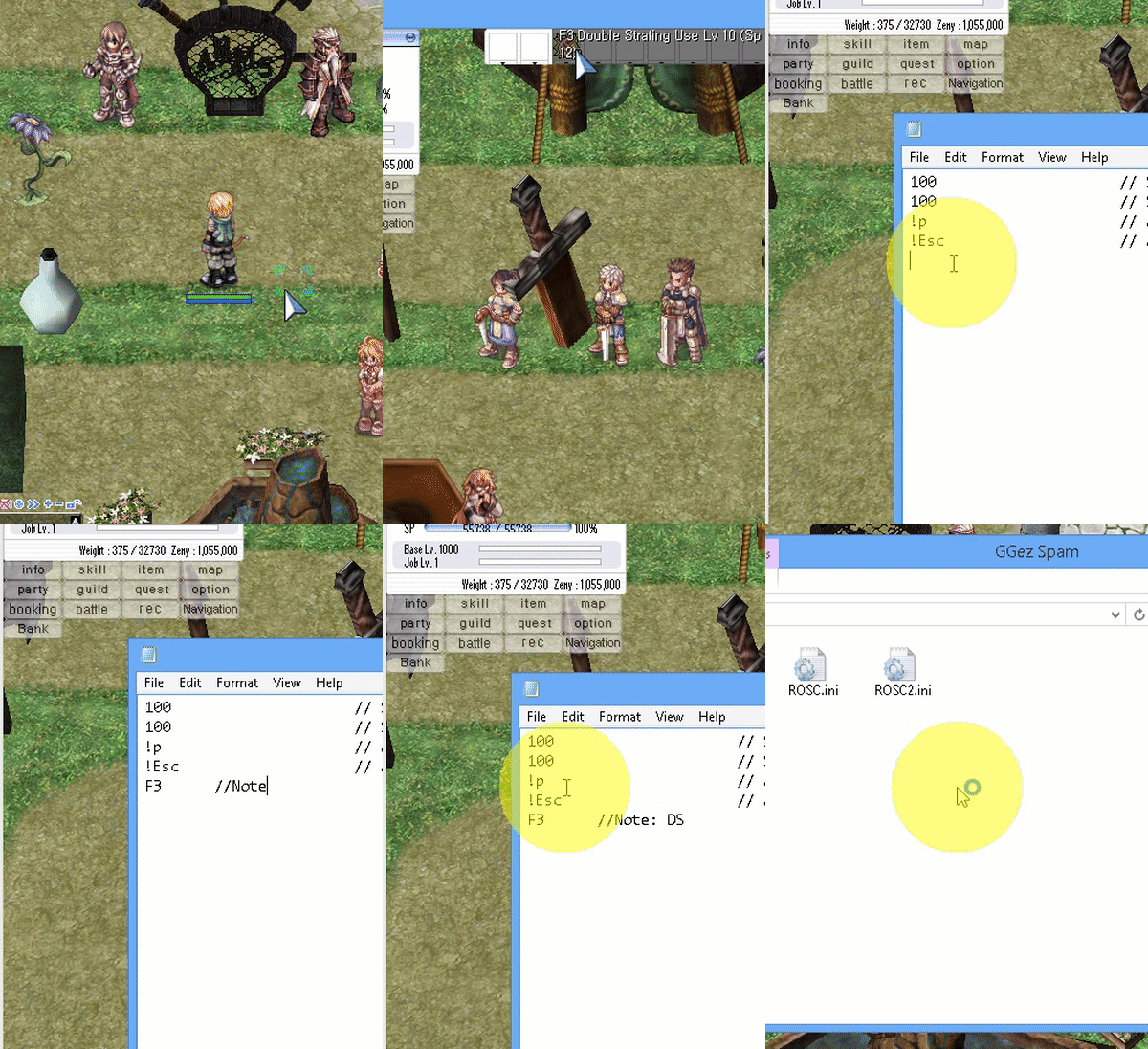
  1. Open 'ROSC.ini'
  2. Start a new line, type in F3
  3. Save, and run ROSC.exe
 - This will make the button F3 a macro.
that means when F3 is pressed down, it will continuously send F3 -> Click until F3 is release.


 ----------------------------------------------------------
ADD CHAIN MACRO

-How to make a Chain Macro:
For this example, lets make a chain combo macro that repeat
 F1 -> F2 -> F1 -> F3-Click when F1 is down.
  1. Open 'ROSC.ini'
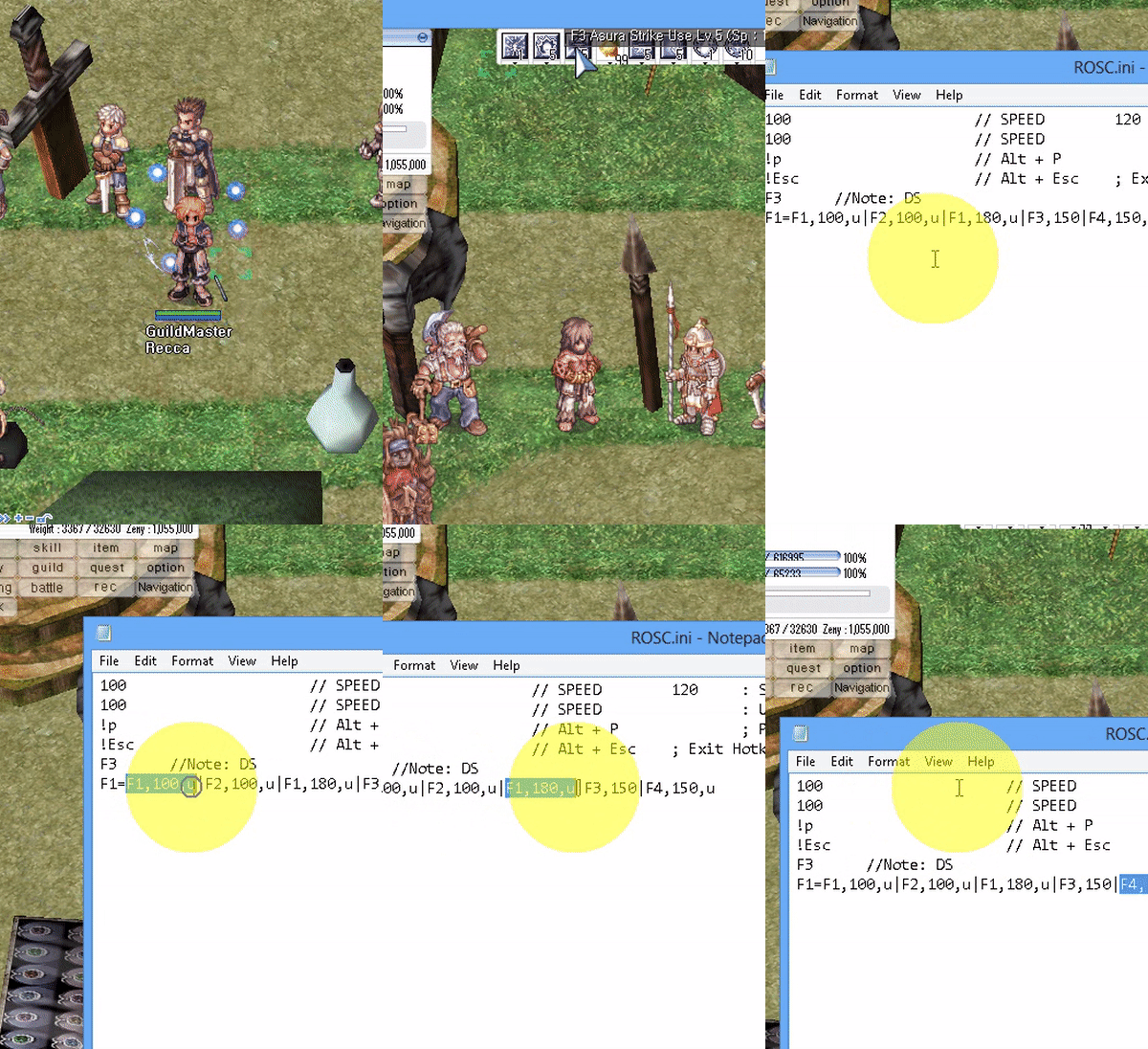
  2. Start a new line, type F1=F1,170,u|F2,170,u|F1,170,u|F3,250
  3. Save, and run ROSC.exe
F1=F1,170,u|F2,170,u|F1,170,u|F3,250
 means:
  • When F1 is press
  • Send F1 with "usable send mode" -> sleep 170
  • Send F2 with "usable send mode" -> sleep 170
  • Send F1 with "usable send mode" -> sleep 170
  • Send F3 with normal mode, which is SEND -> CLICK -> Sleep 250


- The syntax is <Trigger Hotkey>=<Hotkey1>,<Sleep>|<Hotkey2>,<Sleep>|<Hotkey3>,<Sleep>|.....

IMPORTANT ----------------
The FIRST FOUR LINES of the 'ROSC.ini' file MUST be :

  • Macro Skill Delay ( in millisecond, 1000 millisecond = 1 second )
  • Macro Usable Delay ( for hotkey with ",u" next to it )
  • Pause Hotkey - for chatting ( to change hotkey, see Hotkey)
  • Exit Hotkey - Just in case the script get stuck
ROSC.ini examples
120      // SPEED : Skill Delay (in millisecond)
100      // SPEED : Usable Delay (in millisecond)
!p       // Alt + P ; Pause Script Hotkey
!Esc     // Alt + Esc ; Exit Hotkey
         // "//" = comment start
         // Empty lines will be ignore
//s      // Put '//' in front to disable a hotkey
z        // Hotkey Z, Use Z and CLick
a,u      // ",u" for usable, for Spamming pots without click
//x,u    // Anything behind '//' will be ignore
         // NEED TO RESTART SCRIPT FOR CHANGE TO TAKE EFFECT


Leave a comment/thanks or share with your friends if this helped you !